
Preparing Your Gaming Environment
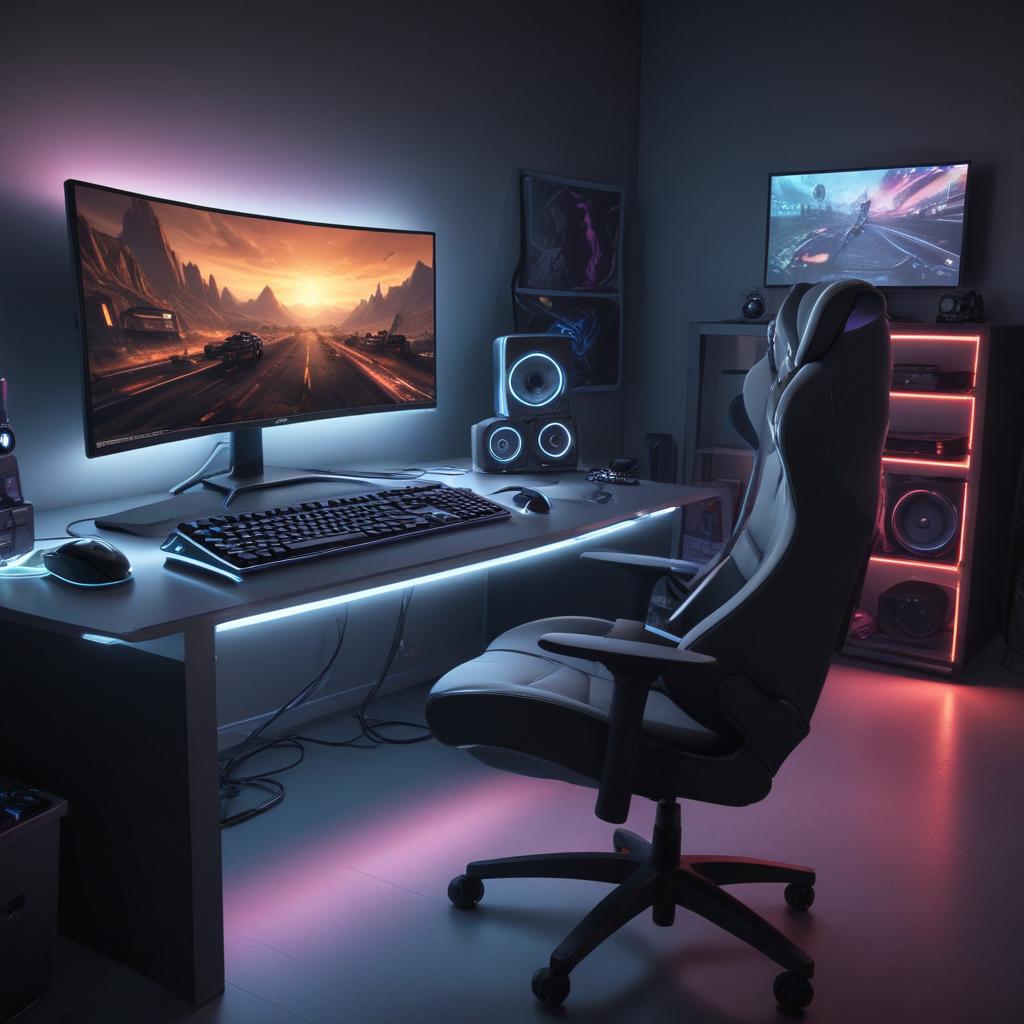
Creating the ideal gaming environment is key to enhancing your gaming setup and maximizing gaming comfort. An optimal gaming space balances ergonomics, lighting, and distraction control, which all contribute to a highly immersive and enjoyable gaming session.
First and foremost, ergonomic considerations in your gaming setup are essential to prevent strain and promote comfort during extended gameplay. Invest in a quality gaming chair that supports your back and encourages good posture. Your desk should be at a height that allows your arms to rest comfortably while using your keyboard and mouse. Position your monitor at eye level to avoid neck strain and ensure your feet rest flat on the ground or on a footrest, helping maintain proper circulation.
Lighting plays a critical role in shaping your gaming environment. Avoid harsh overhead lighting or glare on your monitor, which can cause eye strain and fatigue. Soft, indirect lighting or adjustable LED lights behind your monitor can create a soothing ambiance that enhances focus and immersion. Consider using blackout curtains or shades to control natural light, helping you maintain consistent lighting conditions throughout your gaming sessions regardless of the time of day.
Minimizing distractions in your gaming space is equally important. Select a quiet area where external noise is limited, or use noise-canceling headphones to block out ambient sound. Organize your gaming gear and cables to keep your space tidy and avoid clutter, which can disrupt your focus. Inform those around you about your gaming schedule to reduce interruptions. The goal is to create a dedicated gaming environment where you can immerse yourself without disturbances.
By focusing on ergonomics, thoughtful lighting, and minimizing distractions, you will transform your gaming setup into a comfortable and efficient gaming environment. This investment in your gaming space not only improves gaming comfort but also enhances your overall performance and enjoyment during gameplay.
Optimizing Your Gaming Space
Creating an efficient gaming desk setup is essential for both comfort and performance during long gaming sessions. Start by selecting a gaming chair that supports ergonomic gaming principles—look for adjustable height, lumbar support, and a design that encourages good posture. Proper seating prevents fatigue and enhances focus, allowing you to play longer without discomfort.
Next, arrange your gaming desk to keep all peripherals within easy reach. Position your keyboard and mouse so your arms can rest naturally, avoiding strain. A spacious desk surface will help you organize your monitors, speakers, and any additional controllers neatly, reducing clutter and distractions. Cable management solutions also contribute to a cleaner workspace and prevent accidental disconnections during gameplay.
Space arrangement is key—ensure your gaming area has enough room to move around freely while maintaining a cozy environment. Good lighting, whether natural or adjustable desk lamps, helps reduce eye strain. By optimizing your gaming space with a functional desk setup, ergonomic gaming chair, and thoughtful peripheral placement, you create an environment that enhances both comfort and your overall gaming performance.
Managing Lighting and Noise
Proper gaming lighting plays a crucial role in creating an immersive and distraction-free gaming experience. Using appropriate ambient light helps prevent eye strain and maintains alertness during long sessions. Avoid harsh, direct light sources that can cause glare on screens or lead to discomfort. Instead, opt for soft, diffused lighting that balances brightness without overwhelming the gaming area.
Noise management is equally important for maintaining focus and enhancing performance in gaming sessions. Background noise or sudden loud sounds can easily break concentration and disrupt gameplay. Consider using noise-canceling headphones or soundproofing your gaming space to minimize auditory distractions. This creates a calm environment where you can fully immerse yourself in the game’s audio cues and strategy.
Combining good gaming lighting with effective noise management ensures a comfortable and engaging setup. Not only will this improve your ability to focus, but it will also contribute to better overall gaming performance. A thoughtful approach to ambient light and sound control turns your gaming area into a sanctuary that supports long, distraction-free gaming sessions.
Physical and Mental Preparation
Achieving peak gaming performance requires a dedicated approach to both your physical fitness and mental focus. Engaging in regular gaming fitness routines can significantly enhance your reaction times, hand-eye coordination, and overall stamina during extended gaming sessions. Simple exercises like wrist stretches, finger dexterity drills, and ergonomic strength training can prevent fatigue and repetitive strain injuries, which are common issues faced by gamers.
Mental focus is equally important when preparing for a gaming session. Techniques such as mindfulness meditation, deep breathing exercises, and visualization can help clear your mind and sharpen concentration. By managing stress effectively, you reduce distractions and anxiety that may impair your decision-making and reaction speed. This stress management is crucial, especially in competitive environments where mental clarity can be the difference between victory and defeat.
Incorporating a pre-game warmup is another essential step to optimize performance. Just as athletes warm up their muscles before a game, gamers can benefit from light physical stretching and quick reflex drills before logging in. This prepares both the body and mind for intense focus and precision gameplay. A solid warm-up routine enhances blood flow, reduces muscle stiffness, and primes your neural pathways for faster response times.
Overall, combining gaming fitness with mental preparation and effective stress management creates a foundation for sustained high-level performance. Gamers who adopt these practices report greater endurance, faster reaction speeds, and improved ability to maintain focus during critical moments. By prioritizing your physical and mental readiness, you set yourself up for more enjoyable and successful gaming sessions.
Physical Warm-ups and Exercises
Before diving into an intense gaming session, it’s essential to perform some physical warm-ups focused on hand exercises and stretching. These activities help improve hand flexibility and significantly reduce fatigue, contributing to better gaming fitness and endurance during play.
Start with simple wrist rotations: hold your hands out in front of you and slowly rotate your wrists clockwise and then counterclockwise for about 30 seconds each. This helps increase blood flow to the wrists and prepares them for rapid movements.
Next, stretch your fingers by spreading them wide and then gently trying to bring them back together. Repeat this several times to loosen tight muscles. Another effective stretch is to press the palm of one hand against a flat surface with fingers pointing downward, holding for about 15 seconds, then switching hands. This stretches the forearm muscles, preventing stiffness.
Perform finger taps by tapping each finger to the thumb one at a time, steadily increasing speed to warm up the small muscles involved in precise gaming movements. Additionally, squeezing a soft stress ball repeatedly for a minute helps build hand strength.
Incorporating these hand exercises and stretches as part of your pre-game warmup routine can enhance your gaming fitness, reduce the risk of injury, and keep your hands agile and ready for action throughout your gaming sessions.
Mental Focus and Stress Management
Maintaining mental focus is crucial for a successful gaming session. Before you start, take a few moments to practice breathing exercises to calm your mind and reduce stress levels. Deep, slow breaths help oxygenate the brain, enhancing concentration and preparing you mentally for the challenges ahead.
Incorporating concentration techniques such as the Pomodoro method, where you focus intensely for short bursts followed by brief breaks, can prevent fatigue and keep your mind sharp. Setting specific goals for your session also helps maintain clarity and direction, contributing to a strong gaming mindset.
Stress relief is equally important during gameplay. If you start feeling overwhelmed, pause for a moment to stretch or do light physical activity to relieve tension. Listening to calming music or using guided meditation apps can also aid in reducing anxiety and improving focus.
Developing a gaming mindset means recognizing when your concentration wanes and implementing strategies to regain it. Regularly hydrating and eating nutritious snacks supports brain function, while minimizing distractions by turning off unnecessary notifications creates an optimal environment for mental clarity.
By adopting these mental focus and stress management techniques, you can enhance your overall gaming performance and enjoy more rewarding sessions with clear concentration and a calm, composed mindset.
Technical Setup and Game Readiness
Ensuring your gaming hardware and software are perfectly tuned is crucial for an optimal gaming experience. Technical preparation lays the foundation for smooth gameplay and helps prevent disruptions during intense gaming sessions. Start by checking that your gaming hardware—such as your console, PC, controllers, and peripherals—is properly connected and functioning. Inspect cables and ports to avoid unexpected disconnects and test your audio and video outputs for clarity and responsiveness.
Next, focus on software updates. Keeping your operating system, gaming platform, drivers, and games up to date is essential. Developers frequently release patches that improve performance, fix bugs, and introduce new features. Regular software updates help ensure compatibility with the latest gaming titles and security standards, preventing crashes and enhancing overall stability.
Once hardware and software are verified, dive into your game settings. Optimizing game settings such as graphics quality, resolution, frame rate limits, and input sensitivity can make a significant difference in gameplay fluidity and responsiveness. Tailor these settings to match your hardware capabilities—high-end systems can support ultra graphics, while mid-range setups might benefit from moderate settings to maintain smooth performance.
Technical preparation is also about setting up your network connection for minimal latency. Use a wired Ethernet connection if possible, or ensure your Wi-Fi signal is strong and stable to reduce lag and disconnection issues. Additionally, close unnecessary background applications that could consume bandwidth or system resources.
Finally, consider customizing control layouts and accessibility options to suit your preferences, boosting comfort during long gaming sessions. This complete checklist of technical setup and game readiness ensures that you enter your gaming world fully prepared, minimizing disruptions and maximizing your performance and enjoyment.
Hardware and Software Checks
To ensure a smooth gaming experience, start with a comprehensive hardware check. Verify that all components of your gaming PC setup, such as the CPU, GPU, RAM, and storage devices, are functioning correctly. Look for any signs of overheating or unusual noises, and run diagnostic software if necessary. Proper hardware maintenance helps prevent unexpected issues during your gaming sessions.
Next, focus on updating your drivers. Graphics card drivers, in particular, have regular updates that optimize performance and fix bugs affecting gameplay. Visit the manufacturer’s website or use dedicated software to check for the latest driver updates. Regular driver updates enhance compatibility with new games and improve overall system stability.
Optimizing your system is equally important for smooth gameplay. Close unnecessary background applications that consume CPU and memory resources. Adjust your operating system and power settings to prioritize gaming performance. Consider cleaning your system’s registry and defragmenting your drive if you use HDD storage. These steps help reduce lag and frame drops, ensuring your hardware works efficiently.
Performing these hardware checks, driver updates, and system optimizations regularly ensures your gaming PC setup remains reliable and responsive. This preparation allows you to dive into gaming sessions without interruptions or technical glitches, contributing to an immersive and enjoyable gaming experience.
Optimizing Game Settings
To enhance game performance and responsiveness, adjusting your in-game graphics and control settings is essential. Start by lowering graphics settings like texture quality, shadows, and anti-aliasing to reduce the strain on your hardware, which can lead to improved FPS optimization. A smoother frame rate significantly enhances gameplay fluidity and reaction time. Consider setting the resolution to match your monitor’s native resolution or slightly lower for a performance boost without much loss in visual clarity.
Beyond visuals, configure control settings to suit your playstyle. Customizing key bindings and sensitivity can make your input faster and more precise, contributing to better overall game responsiveness. Look for options that minimize input lag or enable raw input, ensuring that your commands are registered without delay.
Many games also offer advanced settings like V-Sync, motion blur, and ray tracing, which can impact game performance. Disabling V-Sync or motion blur can increase FPS and reduce input lag. However, balance these adjustments carefully, as some settings affect visual quality. Experiment with different configurations within the game to find the best balance of smooth gameplay and appealing visuals.
Finally, keep your graphics drivers updated and periodically check for game patches that optimize game configuration. Together, these tweaks will ensure you enjoy a responsive, immersive gaming experience with optimal game performance.

I’ve been fascinated by the world of online casinos and slot games ever since I discovered how strategy and luck intertwine. I love exploring new bonuses, sharing tips on responsible gaming, and diving deep into the mechanics behind each game. My goal is to help players enjoy the excitement while staying informed and safe.